01
Send your receipts in
Forward emails, WhatsApp photos, or upload files as you go.
Ovio Books brings your receipts, bank transactions, and cash flow into one dashboard, so you can catch gaps before they become a scramble.


Whether it is quarterly BAS/GST prep or end-of-year tax, the scramble starts when receipts and bank transactions drift apart. Ovio gives those records one place before catch-up becomes a separate job.
Before handover
Keep receipts and transactions together.
Forward emails, WhatsApp photos, or upload files as you go.
Ovio matches receipts with the transactions they belong to.
Know what needs attention before BAS/GST or tax time.
Send receipts by WhatsApp, email, or upload. Ovio reads the details it can and flags anything that needs a quick check.
Ovio receipts
Receipt photo
Received.
Processing your receipt ...
How it works
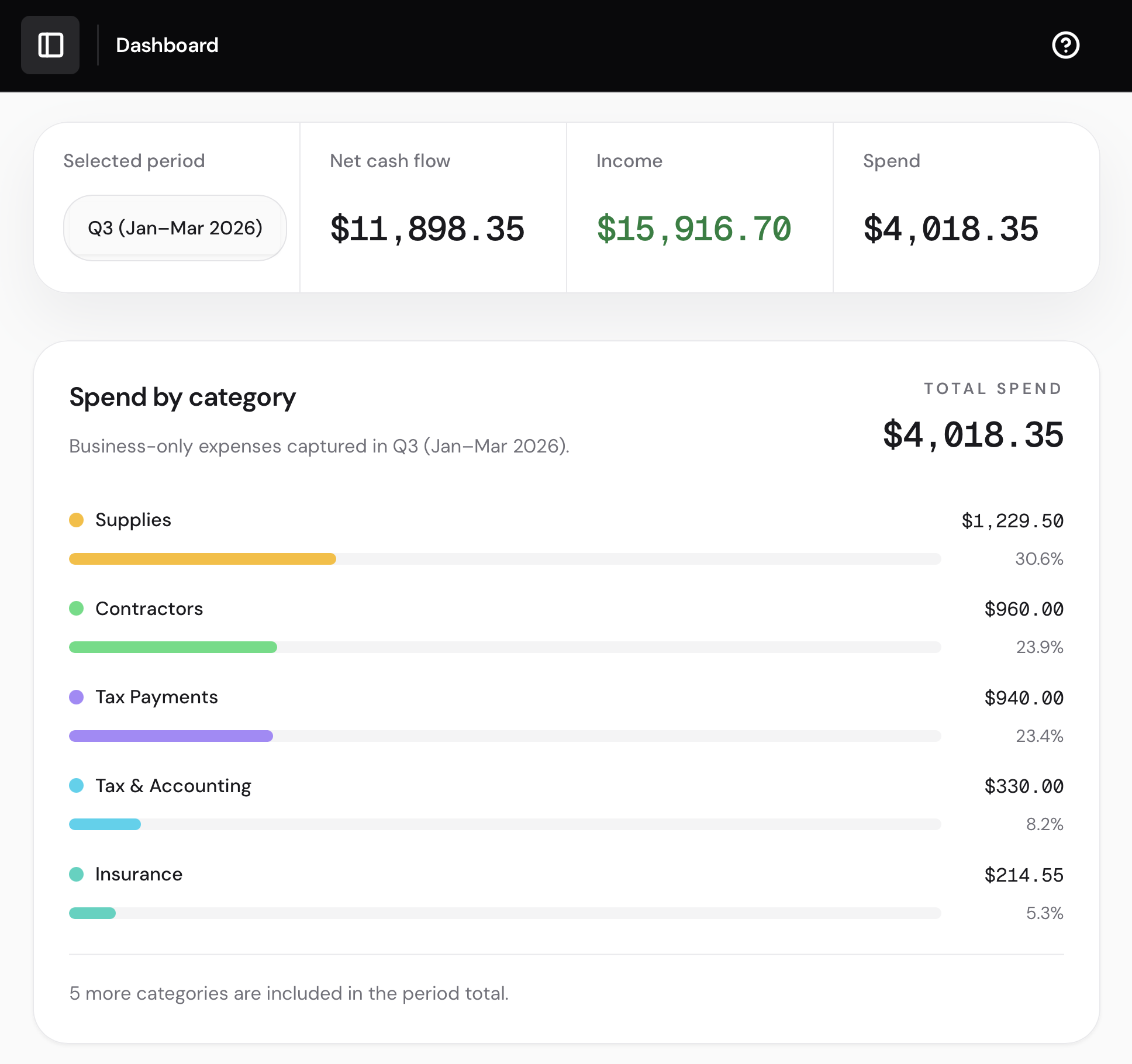
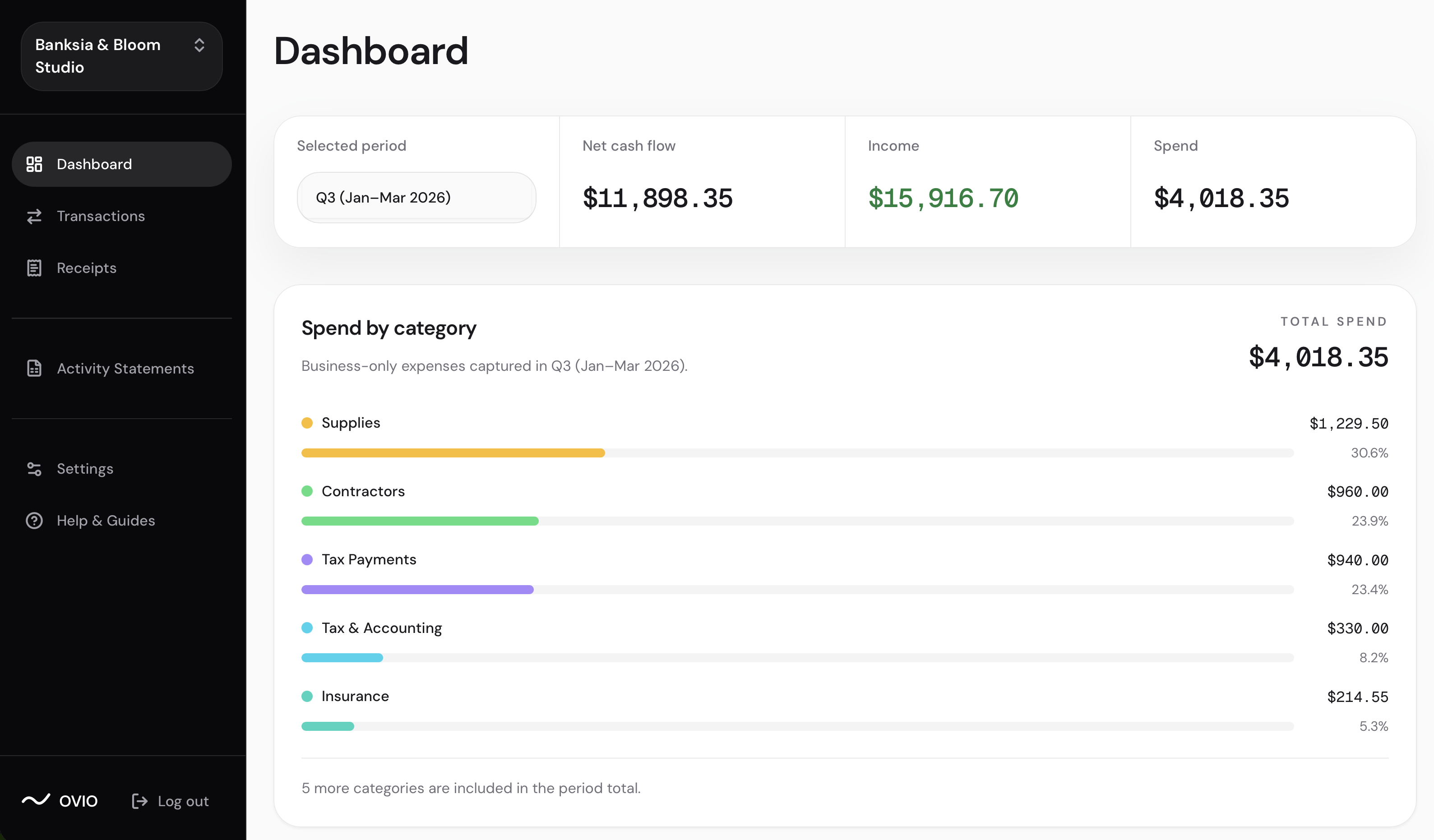
Ovio keeps receipt details and bank transactions in one place, with missing receipts and review items visible before you export.
Forward via email, send WhatsApp photos, or upload receipt files as you go.
Bring in bank rows and Ovio connects them to the right receipts automatically.
See money in, money out, receipt gaps, review items, and export-ready records.
When tax time or your accountant asks, export organised records with receipt status and notes.
BAS/GST prep
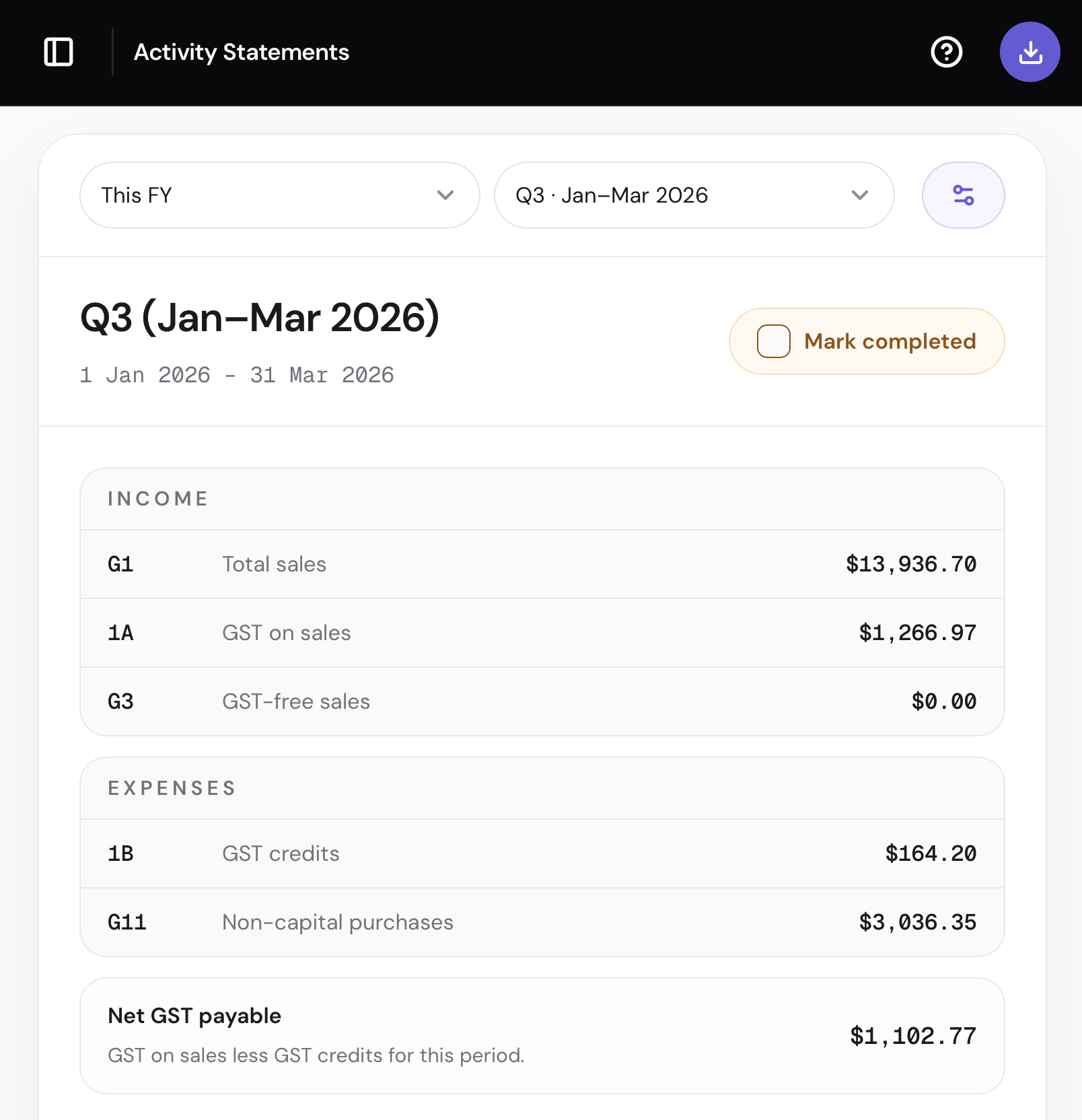
Ovio shows GST amounts, supporting records, and review gaps in one report-style view. It helps with preparation and visibility, but it is not lodgement or tax advice.
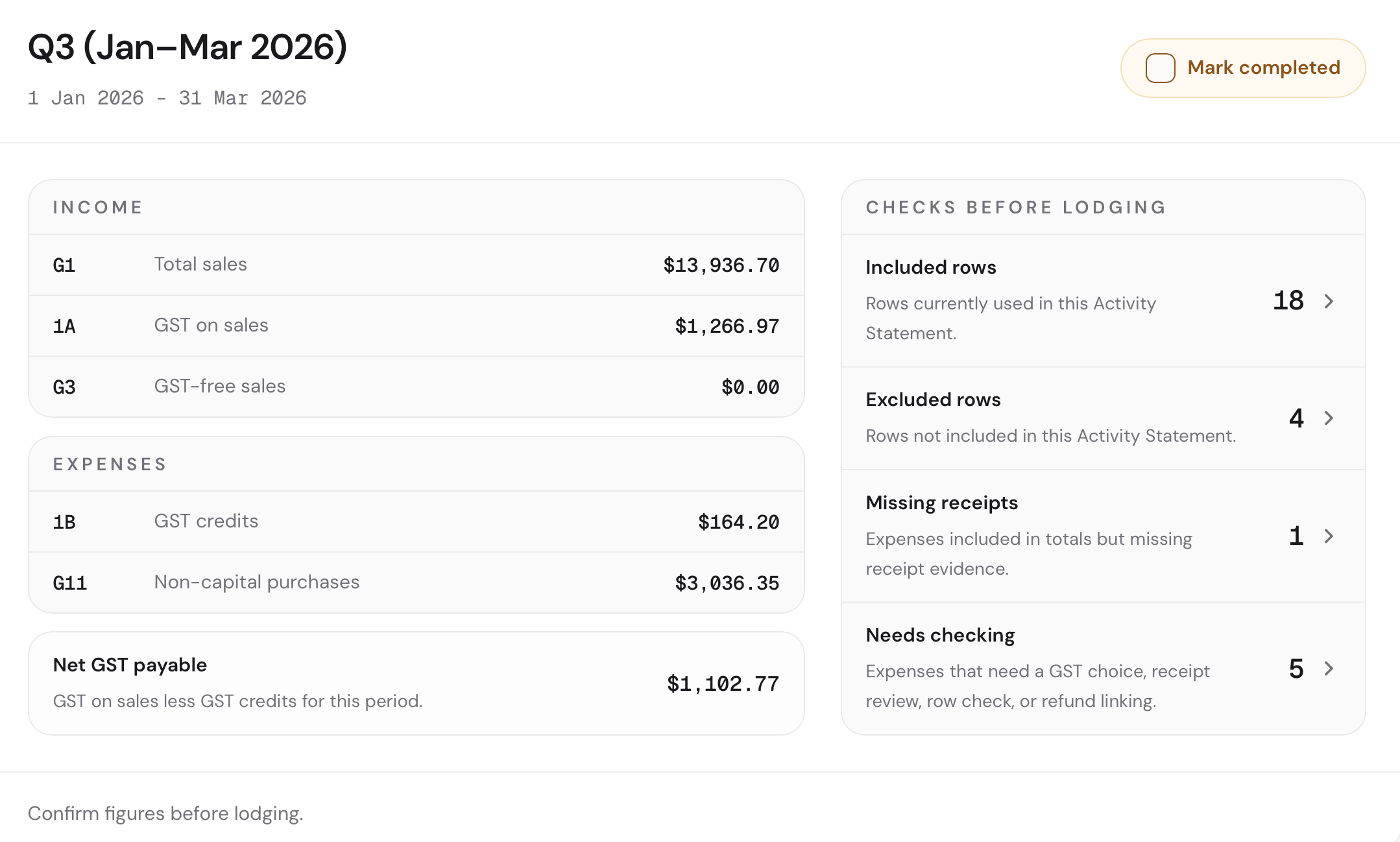
Open Ovio to check the health of your records: linked receipts, notes, missing items, uncertain records, and the export your accountant can use.
Bunnings 463
-$248.50
Officeworks
-$64.00
Telstra
-$85.00
Spotify
-$12.99
May - BAS quarter
GST reconciled
Start free. Upgrade when you need exports or more capacity. Free covers one business with annual limits; Ovio Books Lite and Ovio Books Plus unlock exports and higher capacity.
Receipt files are stored privately and shown through time-limited links. AI helps extract fields and improve descriptions, while uncertain records stay in your review queue.
Yes. Ovio helps keep receipts, bank transactions, GST details, notes, and missing items organised before BAS/GST review. It does not lodge your BAS/GST return or replace tax advice; you or your accountant still review the figures before using them.
No. Ovio supports importing bank transactions from CSV. The upload becomes transaction rows and import metadata inside Ovio, so you can review transactions beside the receipts and records that support them.
No. Ovio is for record keeping and tax-time preparation. It helps organise receipts, bank transactions, missing items, and clean exports, but it is not a tax adviser or lodgement service.
AI helps extract structured fields from receipt images or PDF pages and improves bank transaction descriptions for review. It does not decide business versus personal use, and uncertain documents stay in review.
Yes. Ovio helps you export organised business records with receipt status, notes, and missing items visible, so your accountant has less cleanup to do. They still review the records; Ovio is not tax advice or lodgement.
See what Ovio matches, what is missing, and what needs attention before your next BAS/GST or tax deadline.
Contact
If you want to check whether Ovio fits your business, send us a note and we will help from there.